Monday, May 14, 2012

502 Twitter Widget Tools, Buttons, and Icons for Engaging your Followers

Twitter is continuing to grow at a most overwhelming rate. As more and more people use twitter...be sure to utilize these twitter resources on your blog or website as a tool to to expand and connect with your twitter community.
Widgets and buttons are a great way to grab your readers attention and hence increase your twitter community. Below you will find links to different sites where you can attain the source code for these widgets and icons. Please enjoy thoroughly!

Twitter Widgets

ReTweet Button
A powerful twitter widget which allows your readers to easily share your blog posts. The button also displays a live count of the amount of times the post has been tweeted! ReTweet allows you to choose from two different sizes of buttons.

TweetMeMe Button
This twitter widget is very similar to the ReTweet Button but is stylized with a green interface.

BackType TweetCount Widget
The widget also counts the number times a certain URL has been tweeted. The great thing about this counter is that you can fully customize it. Choose the background color, border color, text color, etc.

Twittley
Yet another twitter button which displays the number count of tweets in real-time.

TwitterCounter
This widget shows off how many people are following you on twitter. Surely, you'll be able to impress a few tweeters.

TwitterRemote
This widget shows which twitter users recently visited your blog or website.
twitter icon picture

TwitStamp
This badge displays your latest tweet with many different styles to choose from.

twitter icon picture

Chris' Original Twitter Badge
Chris has created a snazzy looking twitter badge which loads in no time.


TwitGif
Create a twitter badge for your blog which scrolls through your most recent tweets.

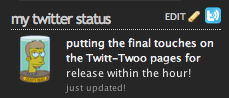
Twitt-Twoo
A WordPress Plugin which displays your twitter status.
twitter icon picture

Twitter Tag
Here is an automatic updating twitter image for your website or blog.


TwitSig Badge
This twitter image updates with your latest tweet by creating a new image every time you update your status. With this in mind, the twitter badge shouldn't take too much time to load on your blog.


Official Twitter Profile Widget
This widget loops through your tweets and has a full range of customization options. The twitter widget allows you to choose the color scheme, dimensions, and whether or not to loop through your old tweets as well.

Add Twitter to MySpace
The MySpace Flash Widget integrates Twitter into your MySpace profile page. This is a great twitter widget for myspace!
twitter icon picture

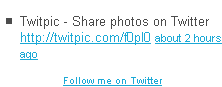
Twitter Gadget for Blogger
Simply display your recent updates on twitter as a list with this gadget. Also featuring a "Follow me On Twitter" link at the bottom of the widget.
twitter icon picture

Go2Web20 Badge
A simple image which floats on the side of your blog and directs readers to your twitter page when clicked on. Choose whether or not to display "Follow Us", "Follow Me", "Follow", or "My Twitter" in the image. Most people choose the Follow Me on twitter widget instead of the follow us on twitter button because it sounds more personal. You may also customize whether or not to display the twitter widget on the left or right side of your webpage.

twitter icon picture

TweetSnap
TweetSnap creates an image for your twitter account which will always display your latest tweet.
Bsaves

TwitterSticker
Another website which creates an image of your latest tweet. TweetSticker allows you to customize the font color, font size, text padding, and text wrap.


Twitterati Badge
A unique twitter widget which displays your twitter friends. Click on one of your friends and you'll be directed to their actual website.

Twitter Buttons and Icons

225 Buttons from TwitButtons.com
TwitButtons allows you to easily copy and paste their button code into your site.
Twitter Button from twitbuttons.com

80 Buttons from TwitterButtons.com
Make sure to click "More Twitter Buttons" at the bottom of their site to see the full collection. This follow us on twitter widget is my favorite!


Cute Twitter Bird by The Design SuperHero
3 Variations of the Twitter Bird with 5 different Resolutions.

twitter icon picture

Twitter Bird by WeFunction
3 more adorable variations of the twitter bird.
twitter icon picture

The Social Bird Icon Set
20 Wonderfully original twitter icons by popular artists for your inspiration. These icons have been released by InspiredMagazaine.

twitter icon picture

TweetBird Icon
1 icon which comes in 512×512, 256×256, 128×128, 64×64 and 32×32 pixel sizes.
twitter icon picture

TweetaBird Icon Set
2 more cute icons by LittleBoxOfIdeas. Featuring a twitter bird cheerleaders and a queen twitter bird.
twitter logo picture

Twitter Icon Promo Pack
53 Twitter Icons by WebTreats for you to grab and use on your site.
twitter logo picture

German Twitter Buttons by MTS
10 more twitter buttons for you to enjoy!


Twitter Graphics by Graphic Leftovers
16 twitter graphics in different shapes and forms; such as eggs,lightbulbs,bottle caps, and more.


Twitter Birds by Inaliblast
8 flying twitter bird icons.


Twitter Bird Icon Set by ProductiveDreams
6 High Quality transparent PNG twitter birds.


Free Tweet Tweet Vector Icon Set
1 Twitter bird with 4 differnet poses, created by ProductiveDreams as well.


Randa Clay Twitter Graphics
18 twitter buttons for gaining new followers.


Happy Birds by WebDesignFM
4 Happy go lucky twitter birds that will encourage both your faithful followers and potential followers.


Twitter Buttons by Blog Marketing Web
31 attractive buttons to enhance the twitter experience.

Saturday, May 12, 2012

How To Recover From Google Penguin Update Penalty


Top 10 SEO Strategies To Protect your blog Against Google Panda Update

With the recent release of the Google Penguin, the talk is all about Google's algorithm updates and how they effect websites. Yesterday, I wrote about what these updates are all about. And as promised, I am here to share some tips for recovering from the Google Panda update. Google Panda was the first radical change in the search model since many years.
And basically, it was aimed at getting rid of low quality websites and bringing higher quality websites in SERPs (Search Engine Result Pages). Many bloggers saw a drop in their traffic, drastic in some cases, while some also benefited from this update. The impact was negative by far, and this update effected 12% of the total websites when it was first released.
With this update, we can say that Google raised the quality bar for many bloggers. Now, much more was expected from them. Good quality and basic level SEO became mandatory for keeping up in accordance to the wishes of Google.
This update had by far the widest, most negative impact on websites ever, and to this day, some blogs have not fully recovered from the gaping hole in their traffic that was bitten off by the vicious Panda. So here, I am going to talk about some SEO tips that will help you counter the traffic loss from Panda, and prevent any future updates from harming your website.

Google PageRank Update May 2012

Google's latest PageRank Update May 3rd 2012, which has just been rolled out, has given bloggers all over the internet something to say and think about. For some, it came as a pleasant surprise, as their PR increased, while others were shocked to see their PR drop as a result of this update. Indeed, we weren't expecting an update until June, but PR is updated every 3-4 months, so it didn't totally come put of the blue. It was just a minor update, as Google has already been implementing changes in the last few months. Amid high anticipation among bloggers, this update benefited more blogs than it harmed.
After this update, PR for MBT remains the same. But there is good news! The PR for our sister blog Smart Earning Methods jumped directly to 2 from 0! So as a treat for our readership at SEM, we have opened up guest posting on SEM, and we have already received some guest posts! You can submit one too now!

What is Google PageRank and How does it work?

For most savvy bloggers, this is nothing new, as they have spent time in the past worrying about the next PR update. But for new people,bloggers, or for those that don't know, Google PageRank is a rating of your webpages on a scale of 0-10, with 10 being the best rating. Google rates itself at PR 9. It is updated every 3-4 months. The last update was in February 2012, while the one before that came in November 2011. So There's been a three month gap for two or more times in a row. Hence, the next update is expected in the first week of August, although Google never releases a fixed date for this update.
As to what Google PR actually is, it basically is Google's way of ranking pages and giving higher priority to better quality pages. A few years ago, spam blogging was on the rise. Spammers used automated bots to comment on other blogs, with links to their own blogs. This increased their inbound links and hence gave them better priority than quality websites. As a result, Google introduced updates and this ranking system so that quality websites are given higher priority.
The Google PageRank takes into account many factors,some of which are backlinks, content quality, content quantity, SEO, and more. Watch the video below which explains how PR works and how it is updated.

How to check PR?

If you haven't checked your PR already, then what are you waiting for?? Get on with it! Go to the PR Checker Tool, and write your blog URL there. You will need to fill in an anti-bot captcha before you can find out your PR.

How to improve your PR?

Build backlinks - PR is mostly based on the number of incoming links to your blog, and the quality of those links. There are various methods for increasing backlinks, such as Guest Posting, article marketing, forum participation, etc. Always try to build genuine backlinks, and never purchase backlinks, because these are low quality links, and they do more harm than good.
SEO - Search Engine Optimization is very important as well. You want to make it easy for Google to find and index your blog. For more information about SEO, check out our 20 Hot Seo Tactics every blogger should know.

Has your PR dropped

If you are on the wrong side of this update, and if your PR has dropped, chances are that you are doing something wrong. Handing out many backlinks to other blogs when you yourself have a few incoming links can be a major reason. Not to worry though. This isn't the end of the world! You have the next three months ahead of you to make the most use of. Read our post on 3 Reasons Why Your PR is Not Increasing to learn on the job better.
If you have been successful in getting a higher PR, then congratulations are in order :). If not, then now's your chance to work harder and improve your rank. For those who haven't checked their PR yet, I sincerely hope your PR has improved.

Friday, May 11, 2012

Add Count Down Redirect Script to Blogger

How To Add Count Down Redirect Script to Blogger

1.Login to your blogger dashboard and go to Desing --& Page Elements.

2.Click on 'Add a Gadget' on the sidebar.

3.Select 'HTML/Javascript' and add the one of code given below and click save.


<form name="redirect">
<center>
<font face="Arial"><b>You will be redirected to the script in<br><br>
<form>
<input type="text" size="3" name="redirect2">
</form>
seconds</b></font>
</center>

<script>

var targetURL="http://www.backlinkworldyou.blogspot.com/"
var countdownfrom=10

var currentsecond=document.redirect.redirect2.value=countdownfrom+1
function countredirect(){
if (currentsecond!=1){
currentsecond-=1
document.redirect.redirect2.value=currentsecond
}
else{
window.location=targetURL
return
}
setTimeout("countredirect()",1000)
}

countredirect()
//-->
</script>

Note: Replace var targetURL and var countdownfrom with your contents.

Now You are done.

Thursday, May 10, 2012

Top 10 SEO Tips and Tricks For Your Website

If you are looking to start a new website, blog or optimize your website, you need to understand SEO to be successful.
Knowing what goes into a successful SEO implementation and ways to build up your site, will turn your site into a major online destination and help you rank faster in search engines.
But what are a few of the ways you can make your site a profitable one?

In this article I will show you 10 SEO tips and tricks that will help you get more benefits from doing SEO and help you build a more profitable site.


1. Social Media

Social MediaThe single biggest thing you can do for your site and boost SEO is to have a social media presence.
Sites like Twitter, Flickr and Facebook and now Google+ are going to be good avenues to expose your site and get people to notice your brand.
Social networks are also the golden goose for brand reputation management these days and for connecting with new audience.
Moreover, search engines like Google started to pay attention to social media and use data from social networks as rank signals.

2. Connect Your Accounts

Connect Your AccountsIf you have a Twitter account, a Facebook page and a Flickr account, you should connect all those accounts together.
This strategy can help with building up links improve your SEO and it gives your audience more ways to find you and your content.
For example, a Twitter follower could find your link on Twitter and follow it to Facebook.
Connecting accounts just gives you a wider reach and consolidates all the real followers into a small but profitable group, it also makes outreach much easier.

3. Analytics and Tracking

Analytics and TrackingYou need to understand where your clicks are coming from, who is referring them, what search queries drive the most traffic and which have potential to do so as well as how many ads are being clicked on.
Knowing where your traffic is coming from and how your audience behaves, will help you shape your site into something that more people will want to visit.
So having a website without checking your Webmaster Tools Account or Google Analytics installed is a big no-no.

4. Keyword Research

Keyword ResearchOne of the most important things you can do to improve SEO is to research your keywords extensively.
You can use keyword tools like Advanced Web Ranking, Scribe SEO or Google Keyword AdWords Tool to determine which words and phrases will be most effective.
Finding a niche in the keyword world can create a unique place for your site that will have less competition.
Simply relying on keywords tools will unfortunately do you no good in most cases as you will be stuck with broad keyword matches, when we say thorough research we mean going deep and getting all the variations and long tails you can get your hands on.

5. Easy Sharing

Easy SharingAllow your users to instantly Tweet a link from your page, or like your content on Facebook.
This will help to create the backlinks and link juice that you need to increase your following and increase your keyword rankings, not in the direct way, but getting your content in front of thousands of eyes can get you there.
Also allow your readers to instantly follow you on social media sites with a simple click of the mouse. Doing so will let your readers to make a deeper connection with you and your content.

6. Internal Linking

Internal LinkingInternal linking of your webpages can be an amazing factor from an SEO standpoint.
It can ensure that your pages will get spidered by Google and other search engines. It can also help to increase the keyword rankings of a given page within your site.
Good internal linking can also help with increasing the relevance of certain keywords that you want emphasized on your site.

7. Relevant Content

Relevant ContentIf you are going to guarantee that you get good traffic, you should make good content.
Quality content is content that is engaging and relevant to your audience.
Anything that sounds like it was designed for robots to find will result in your page not keeping your customers for very long, in other words it will increase your bounce rate and lower your quality score.

8. Navigation

NavigationHave a table of contents at the top of your site where a reader can simply click a link and navigate to the content that is most appealing to that reader.
Provide clear anchor text and think about adding a site map as well to enhance ease of navigation. Although this is way too basic I had to mention it, even though most web designers know onsite SEO, some tend to sacrifice usability for appeal, which can be a costly gamble.

9. Guest Posting and Networking

Guest Posting and NetworkingContributing to other sites can be a good way to build links and get your name out there.
The more quality backlinks you can garner for your site, the better off you will be.
Make sure that you are contributing to sites that have a lot of readers so you don’t spend time on a fruitless endeavor.
Also do comments, not in a sense where you will get comments as backlinks, but to engage with other readers and bloggers and get yourself known in the community, which is the fastest way for newcomers to get some traction and traffic.

10. Pay Attention to Usability

UsabilityIncluding site search and 404 error templates on your page can make it easier for your user to navigate.
A 404 occurs when a page cannot be found, but a customized 404 can allow your user to type what they are searching for manually and continue searching or even better, give them a fully customized 404 page with navigation and suggestions. It keeps the reader on your site.
When it comes down to it, we all need a site that contains quality content that can get a lot of links back to our pages.
Focusing on relevant keywords and using those keywords throughout the site as well as interacting with users is the only way to do business successfully.
Tracking our stats and analytics, connecting and making sure users are happy is the way to go, not just through backlinks, SEO starts from your website and then expands, remember that.

Backlinks, What are Backlinks?

Any successful off-page SEO campaign begins with building relevant, high authority backlinks to your website. Once built, the backlinks will provide you with two main benefits: relevant traffic and higher ranking in search engines. The more backlinks your website will have, the more frequently it will be visited by search engines robots, which means that new content will be indexed much faster.

What are Backlinks?


Links from one website to another started to appear much earlier than the search engines were invented. Before the Google era, if you saw a website you liked and wanted to remember the address you had no reliable place to put it in, except your own website. Things like SEO, page-rank or number of inbound and outbound links didn’t really bother you back then, because these concepts simply didn’t exist. Back then, if a website had many links pointing to it, it meant that the website was actually good.
The search engines used the situation to help people find the most popular websites fast. Google was the first to do that, the other search engines followed. However, the search engines made the whole thing a bit more complicated by introducing two completely new concepts: popularity and relevance.
Popularity in Google is measured by page rank, a value scaled from 0 to 10 that represents the total number and the quality of links pointing to a website. Google updates a website page rank every time it finds a new backlink. However, the information becomes public approximately every three months. It confuses many webmasters who see no immediate improvement to their site page rank even after they create a huge number of quality backlinks to their website.
Relevancy is defined per keyword and doesn’t have any publicly available indicators. Unlike popularity, it is a measure derived from natural language processing methods that indicates how much the anchor text and the surrounding content of the backlink relates to your web page. For example, if the content of a web page is related to “SEO Basics” and has an outbound link to another web page dealing with the “Backlinks Strategy”, then the relevancy of the link will be high since the terms: “SEO Basics” and “Backlinks’ Strategy” are strongly related to the more general field (SEO).
Popularity and relevancy are measured per page (not per website). Theoretically, if only one of the pages on your website has a lot of highly relevant backlinks, it will be ranked high in the search engines, while the rest of the pages will be ranked low. In reality, the whole website will be ranked high, because very often, each page will have a plenty of internal backlinks to the main page and vice versa.

What is Page Rank?

As mentioned previously, Google’s page rank (PR) was invented in order to measure the popularity of the various Internet pages. It is a value scaled from 0 to 10 that represents the number and the quality of all the inbound links penalized by the number of the outbound links from the page.
In other words, if you have a PR10 backlink pointing to your website but your page has outbound links pointing to other websites, the influence of the PR10 backlink will be distributed between your website and the others.
Defining the popularity of web pages via page rank has a drawback. New pages, which have not enough backlinks, have a small chance to be found by the users even if they offer a great content. When Google engineers realized that, they killed the page rank. Don’t get me wrong, page rank still exists as a measure, but it has no influence on the search results whatsoever.
Google’s new method examines a combination of factors such as community popularity and users’ loyalty. When a webpage is frequently mentioned within web communities like social networks or forums, its popularity rank will increase.
Additionally, in order to test the popularity of a new page, Google will try to push it upwards in the search results, to see how the users react. If the users like the content and stay a long time on the website (low bounce rate) it will get a higher popularity rank than high PR websites for the same keyword.
Quoting Google: “Content Is King”. Old backlinking techniques are no longer as effective as they used to be. And nowadays, it is much more important to concentrate on content and social communities than on the page rank.
But if you think that having a great content and being popular in social communities is enough to land your website on the first page of the search results, think again. True you don’t have to bother about the page rank anymore, but relevancy is still a factor. And relevancy means backlinks, many relevant backlinks.

Types of Backlinks

There are three types of links that should concern you: inbound links, outbound links and internal links.
Internal links are the ones connecting between the pages of your website. These links are crucial to increase the relevancy of your pages. Building internal links is an art by itself, and it will be discussed in more detail on the on-page SEO section.
Inbound links are the ones pointing to your website from other websites. As mentioned above, certain (relevant) inbound links will determine the relevancy and the popularity of your website, which in turn, will affect the ranking of your website in search engines. When building inbound links, find web pages with content that is relevant and use your niche keywords in the anchor text of the link.
Outbound links are the ones pointing from your website to other websites. Nobody actually knows how these work, except Google Almighty of course. Some believe that outbound links are bad for SEO – these are the old school guys. Others, believe in some mythological ‘trust rank’ that was invented by Google. They claim that outbound links to quality websites increase the trust rank of a page. However, not one of them can explain how that affects the search results. The rest believe that relevant outbound links to quality resources (such as the Wikipedia) increase the relevancy of the page.
Rumors aside, if the site has no outbound links it looks strange not only to the search engines but to the visitors as well. The users expect to find references to trusted resources when visiting your site. Therefore, it is important to have a mix of inbound and outbound links, which point to high quality Internet resources. Needless to say, your outbound links must point to existing websites; otherwise you might get penalized by Google.
To sum it up – outbound links should point to high quality websites only, never agree to place reciprocal links to low quality web pages, and don’t put more than three outbound links per page. Additionally, track the outbound links and remove any broken ones if you see them.

How to Get Backlinks?

The goal of every SEO campaign is to accumulate as many inbound links as possible. Those links must come from popular and relevant websites; otherwise they are as good as useless. The inbound links can be classified as follows:

Reciprocal Links

This is one of the oldest methods to get backlinks, soon to become totally ineffective. The method is really simple – find authority websites in your niche and ask them for a link exchange. There are a number of problems with that method:
  • If your page rank is lower than that of those websites, they won’t accept your invitation. If however, your page rank is higher than theirs, you’re not likely to benefit from the deal.
  • Many website owners will respond months later, when it might no longer be relevant.
  • Most of the websites will place all their partner links on a single page, which means that the influence of the links will be divided between all the websites appearing on that page.
  • You have to track your reciprocal links regularly, as website owners tend to cancel the partnership without letting you know.
  • Google can easily track reciprocal backlinks and if the rumors are true, completely ignore them.
Given all the above, your SEO campaign won’t benefit much from reciprocal backlinks.

Paid Links

As you can guess, where there’s demand, there’s supply. The essence of paid links is simple – you pay someone to put your text-link or banner on his website. Along with the backlink you get an additional benefit – relevant traffic. The payment model can vary, and it’s up to you whether to choose CPV (Cost-per-View), CPC (Cost-per-Click), CPA (Cost-per-Action) or any other acceptable payment method.
Of course finding suitable websites for advertising might become nightmare, and this is where services like Google Adwords come into the picture. Their purpose is to provide a platform where you can choose a keyword, set a budget and the rest will be done automatically. Their main disadvantage is their high cost – popular keywords will cost you a fortune.

Links from Blogs

Many bloggers are in constant need for fresh content. One of the best ways to promote your website is to provide bloggers with free content related to your website. This content will be published in a form of an article with a link to your website. However, be sure to provide them with quality content since no one would want to publish boring, obvious, or poorly written articles.
Another way is to have your own network of blogs. There are a number of popular (and free!) blogging platforms, such as Blogger and WordPress, where you can post articles relevant to your niche with links to your website. Note that the blogs’ content has to be highly relevant to the content on your website and it must be unique. I.e. you can’t just ‘borrow’ content from other websites and post it as your own, because Google will quickly detect that and penalize your backlinks.

Web Directories

Web directories are highly underestimated; some will even claim that web directory submission is dead. The truth is – backlinks from web directories still count, and it is a very powerful backlinking method.
However, if in the past it was enough to submit your website to one big directory (such as DMOZ), today it will no longer suffice. Today, to feel the impact of directory submission you’ll need to submit your website to thousands of web directories – an easy task provided you have the proper tools.

Article Directories

Article submission is one of the most effective ways to get large number of highly relevant links to your website. There are nearly thousands of article directories on the web that will accept your content (backlink included) without asking anything in return.
Article directories are built on the principle of mutual benefit – you give them content, they provide you with a backlink to your website from the content itself. I.e. if you submit content relevant to you niche, the backlink will be considered relevant as well. Moreover, you enjoy the traffic of their readers and backlinks from countless websites that steal and repost your content as their own.
The only problem with article submission is unique content; you can’t just submit the same article over and over again to thousands of directories. Google will quickly detect that all your backlinks come from the same content and diminish their influence. This is where article submission software comes to your rescue; it will spin the article (replace words with their synonyms) and submit a slightly different version of your article to each directory.

Press Releases

Press release websites work in a similar way to article directories, but they have a different purpose. They accept a news release (together with the backlink) literally from anyone and distribute it to major news aggregation websites such as Google News.
From there the content is getting spread across the web either by reporters who the find the press release to be interesting, or websites that repost stolen content.
The content you submit to press release websites should be a little different from content submitted to article directories – it must look like a news item. And if you submit to multiple press release websites, spinning must be used here as well.